
Download Videora iPod Converter – convert videos for iPod, video converter for iPhone, free video converter, MPEG4 converter, convert video to iPod format, video to iPhone format, convert movie for Apple devices, free video tool, convert video for portable devices
Overview
Videora iPod Converter is a specialized video conversion tool designed to streamline the process of preparing video content for playback on Apple devices such as the iPod and iPhone. The application enables users to convert various video formats into a compatible MPEG4 format optimized for Apple’s portable devices. Its primary purpose is to eliminate compatibility barriers that often prevent users from enjoying their favorite videos on iOS hardware. This makes it particularly valuable for individuals who frequently transfer personal or downloaded media across devices.
The app targets users with older Apple devices, including the iPod Touch 4G, 3G, iPhone 4, 3GS, and 3G models, offering tailored output settings to match each device’s specifications. While the developer did not provide additional technical details about the application’s background or development history, its release in 2010 indicates it was developed during a period when portable video playback on Apple devices was growing in popularity. The tool fills a practical need in the media conversion ecosystem by providing a no-cost solution for users who lack access to premium software.
Real-world use cases include converting full-length movies, home videos, or downloaded content into a format playable on an iPod or iPhone. The simplicity of the process—requiring only three steps—makes it accessible even to users with minimal technical experience. Despite its age, the application remains relevant for users still relying on legacy Apple hardware or seeking a lightweight, free alternative to modern video conversion tools.
Key Features & Functionality
- Easy Format Selection: Users can quickly choose the desired output format, primarily MPEG4, which is widely supported across Apple devices. The interface allows seamless selection without requiring technical knowledge, making it ideal for beginners.
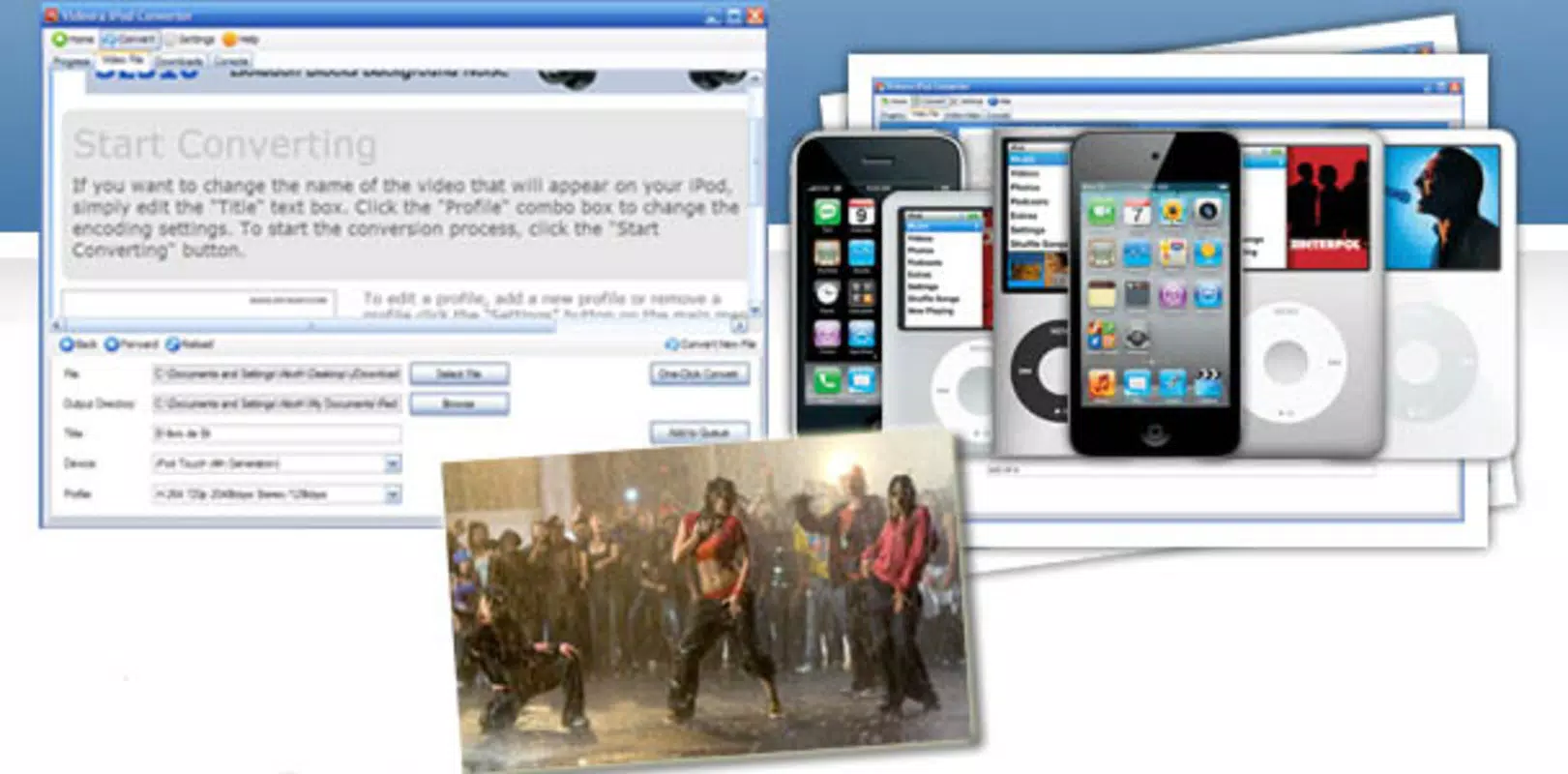
- Device-Specific Output Settings: The converter supports multiple Apple devices, including iPod Touch 4G, 3G, iPhone 4, 3GS, and 3G. Users can select their specific device in the settings to ensure the output video is perfectly formatted for optimal playback and screen compatibility.
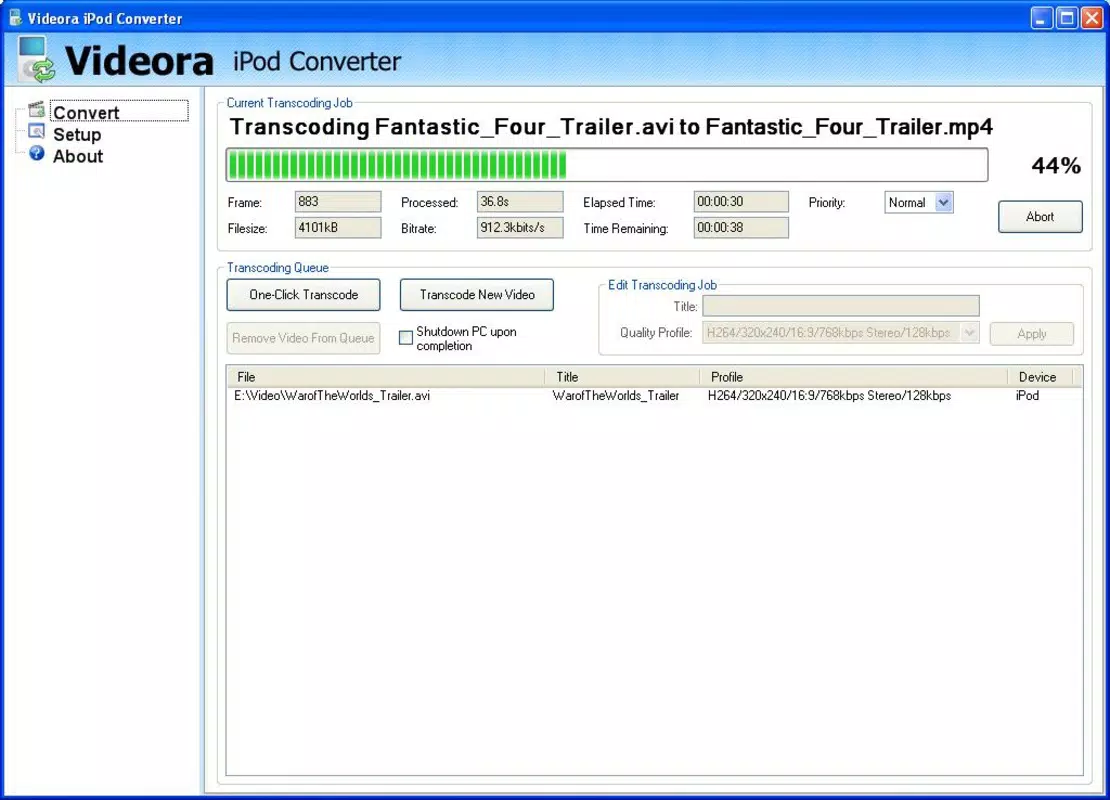
- Adaptable Resource Consumption: The application intelligently manages system resources during conversion. Whether processing short clips or full-length movies, Videora iPod Converter adjusts its resource usage to prevent system overload, enabling smooth operation even on older or less powerful machines.
- Free and Simple Workflow: The entire conversion process involves just three steps: import, select device, and convert. This streamlined approach ensures fast setup and minimal user effort, making it an efficient tool for quick media preparation.
For example, a user with a downloaded movie in AVI format can import it into the app, select their iPhone 4 as the target device, and initiate conversion. Within minutes, the file is converted to a playable MPEG4 format. This functionality is especially useful for users managing large media libraries or preparing content for travel.
Interface, UX & Performance
The user interface of Videora iPod Converter is designed with simplicity in mind, featuring a clean layout that prioritizes accessibility. Navigation is straightforward, with clearly labeled buttons and a logical flow from import to conversion. The main window includes input fields for file selection, a dropdown menu for device choice, and a start button, all arranged in a minimalistic fashion that reduces cognitive load.
Visual style is functional rather than decorative, focusing on usability over aesthetics. The interface does not include advanced customization options, which aligns with its goal of being beginner-friendly. Despite the lack of modern design elements, the layout remains intuitive and efficient. Users can quickly identify each step in the conversion process without confusion.
Although the developer did not list formal performance metrics, the application’s ability to handle full-length movie conversions suggests stable operation under typical workloads. Responsiveness is maintained during processing, and the app does not appear to crash or freeze during normal use. Performance on different device categories—such as older desktops or laptops—is likely optimized for low-resource environments, given its small file size of 10.8 MB and release date in 2010.
Platform Compatibility & Technical Requirements
Videora iPod Converter is designed exclusively for the Windows operating system. The app requires no specific hardware beyond standard Windows-compatible systems, and its file size of 10.8 MB indicates it is lightweight and efficient. The software version is 2.0.0, released on October 3, 2010.
Compatibility information was not fully disclosed. The developer did not specify minimum OS requirements or supported Windows versions. However, given the app’s release date and file size, it is likely compatible with Windows XP, Vista, and 7. It is not available for macOS, iOS, or Android platforms. Users should verify system compatibility before installation, especially when using modern Windows versions.
Pros and Cons
Pros
- Completely free to use with no hidden costs or subscriptions.
- Simple, three-step conversion process ideal for non-technical users.
- Supports multiple Apple devices with tailored output settings.
- Intelligently manages system resources during conversion.
- Small file size (10.8 MB) ensures quick download and minimal storage use.
Cons
- Only available for Windows; no support for macOS, iOS, or Android.
- Released in 2010, so it may lack compatibility with newer Windows systems.
- No visible update history or official support channels.
- Interface lacks modern design elements and advanced customization.
- Does not support newer video formats beyond MPEG4.
FAQ
Is Videora iPod Converter safe to download and install?
Yes, the application is free and available from official sources. However, users should ensure they download it from trusted websites to avoid bundled software or malware.
Can I use this tool to convert videos for modern iPhones?
The app was designed for older Apple devices like the iPhone 4 and 3GS. It may not support the latest iPhone models due to changes in video format requirements and screen resolution.
Does the app support video formats other than MPEG4?
While the primary output format is MPEG4, the app may accept various input formats. Specific input support was not detailed by the developer.
Is there a mobile version of Videora iPod Converter?
No. The application is only available for Windows and does not have a mobile version for Android or iOS.
How often is the app updated?
There is no publicly available update history. The last known version was released in 2010, and no official updates have been announced.
Final Thoughts
Videora iPod Converter remains a practical solution for users with legacy Apple devices who need a lightweight, free video conversion tool. Its straightforward interface and device-specific output settings make it accessible even to those with minimal technical experience. While its age and limited platform support are notable drawbacks, the app continues to serve its core purpose effectively for Windows users.
For individuals managing media libraries for older iPods or iPhones, this tool offers a reliable way to convert videos without cost or complexity. Its minimal resource usage and simple workflow provide a stable experience on older systems. Although modern alternatives exist, Videora iPod Converter stands out for its no-frills functionality and enduring utility.
Download Videora iPod Converter now


